|
TRUST 1.9.8
HPC thermohydraulic platform
|

|
TRUST 1.9.8
HPC thermohydraulic platform
|
TRUST is a High Performance Computing (HPC) thermal-hydraulic engine for Computational Fluid Dynamics (CFD) developed at the Department of System and Structure Modelling (DM2S) of the French Atomic Energy Commission (CEA).
The acronym TRUST stands for TRio_U Software for Thermalhydraulics. This software was originally designed for conduction, incompressible single-phase, and Low Mach Number (LMN) flows with a robust Weakly-Compressible (WC) multi-species solver. However, a huge effort has been conducted recently, and now TRUST is able to simulate real compressible multi-phase flows.
TRUST is also being progressively ported to support GPU acceleration (NVidia/AMD), using the Kokkos library.
The software is open source with a BSD license, available on GitHub via this link.
You can easily create new projects based on the TRUST platform. These projects are named BALTIK projects (Build an Application Linked to TRUST Kernel).
TRUST was born from the splitting of the Trio_U software into two pieces. Trio_U was a software brick based on the Kernel brick (which contains the equations, space discretizations, numerical schemes, parallelism, ...) and was used by other CEA applications (see Figure 1).
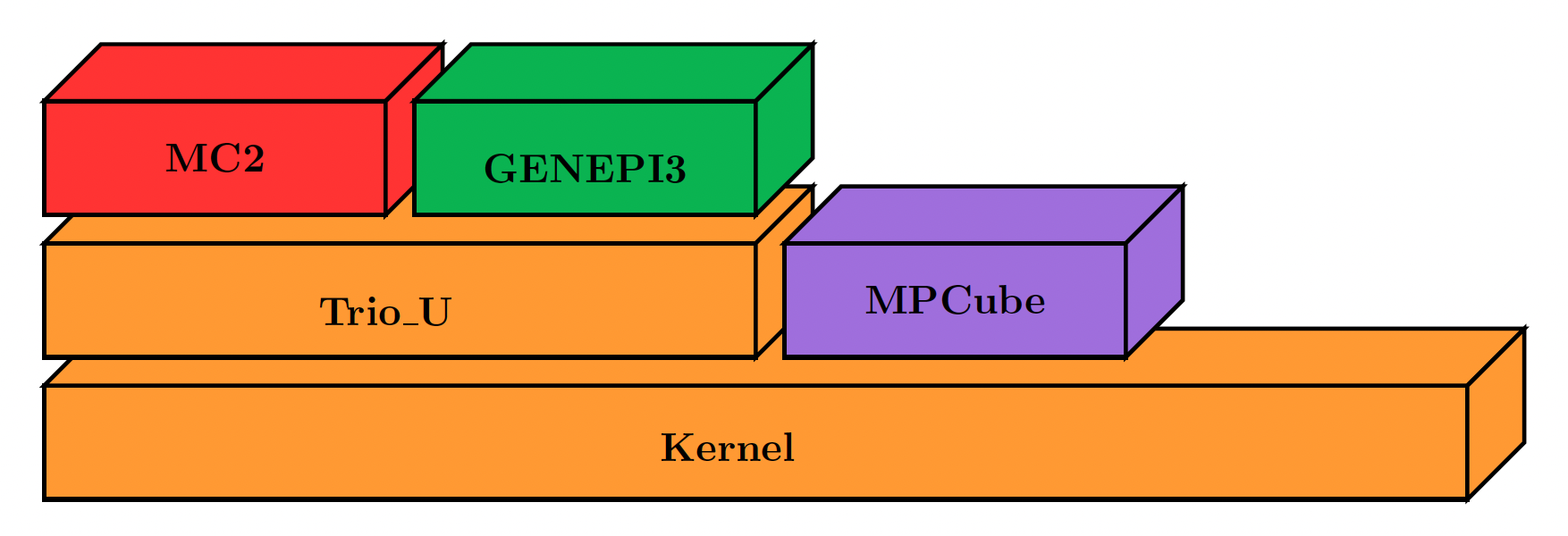
In 2015, Trio_U was divided into two parts: TRUST and TrioCFD.
Here are some other selected BALTIK projects based on the TRUST platform (see Figure 2).
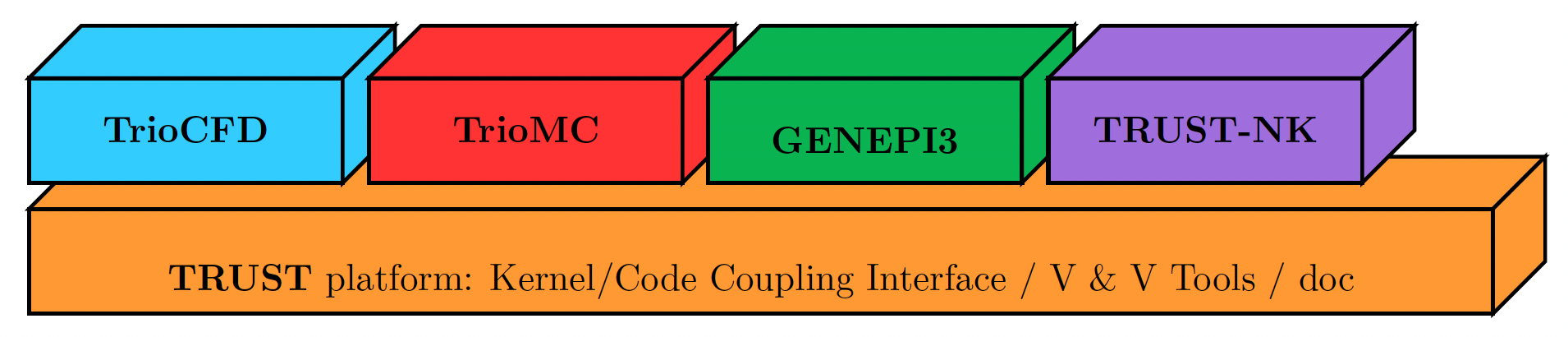
TRUST is developed at the Laboratory of High Performance Computing and Numerical Analysis (LCAN) of the Software Engineering and Simulation Service (SGLS) in the Department of System and Structure Modeling (DM2S).
The project started in 1994 and improved versions have been built ever since:
The rest of the General Guide walks through the practical steps of writing and running a simulation:
For step-by-step worked examples, see the User Tutorials.
The trust script wraps the actual TRUST executable with a collection of convenience options. Run trust -h at any time for the live list — the groups below are a quick overview.
| Flag | What it does |
|---|---|
| -help, -h | List every option. |
| -index | Open the TRUST resource index. |
| Flag | What it does |
|---|---|
| -baltik [name] | Instantiate an empty baltik project. |
| -eclipse-trust | Generate Eclipse config to import TRUST sources. |
| -eclipse-baltik | Generate Eclipse config to import baltik sources (requires TRUST to have been configured under Eclipse first). |
| Flag | What it does |
|---|---|
| -config nedit\|vim\|emacs\|gedit | Set up your editor to syntax-highlight TRUST keywords. |
| -edit | Edit the data file. |
| -jupyter | Create a basic Jupyter notebook file. |
| -copy | Copy a test-case data file from the TRUST database into the current directory. |
| -search KEYWORDS | List test cases from the database that contain the given keywords. |
| Flag | What it does |
|---|---|
| -partition | Partition the mesh (creates the .Zones files). |
| -mesh | Visualise the mesh(es) referenced by the data file. |
| -c NCPUS | Use NCPUS CPUs per task for a parallel calculation. |
| Flag | What it does |
|---|---|
| -evol | Monitor the calculation in a GUI. |
| -probes | Monitor probes only. |
| -clean | Remove every file TRUST generated in the current directory. |
| Flag | What it does |
|---|---|
| -check all\|TESTCASE\|LISTFILE | Run non-regression checks. |
| -ctest all\|TESTCASE\|LISTFILE | Same, via the CTest harness. |
| -check function\|class\|class::method | Check the tests covering a given function, class, or method. |
| -ctest function\|class\|class::method | Same, via CTest. |
| Flag | What it does |
|---|---|
| -gdb | Run under gdb. |
| -valgrind | Run under valgrind. |
| -valgrind_strict | Run under valgrind with no suppressions. |
| -callgrind | Run the callgrind profiler (via valgrind). |
| -massif | Run the massif heap profiler (via valgrind). |
| -heaptrack | Run heaptrack (heap profile; faster than massif). |
| -advisor | Run Intel Advisor (vectorisation analysis). |
| -vtune | Run Intel VTune (profiling). |
| -perf | Run Linux perf (profiling). |
| -trace | Run the Intel Trace Analyzer (MPI profiling). |
| Flag | What it does |
|---|---|
| -create_sub_file | Just create a submission file, don't submit. |
| -prod | Create and submit on the main production queue with exclusive resource. |
| -bigmem | Create and submit on the big-memory production queue. |
| -queue QUEUE | Create and submit to a specific queue. |
| Flag | What it does |
|---|---|
| datafile -help_trust | Print the options of the underlying TRUST_EXECUTABLE [CASE[.data]] [options]. |
 1.16.1